Sunday, 17 June 2018

Access to Libraries for Everyone

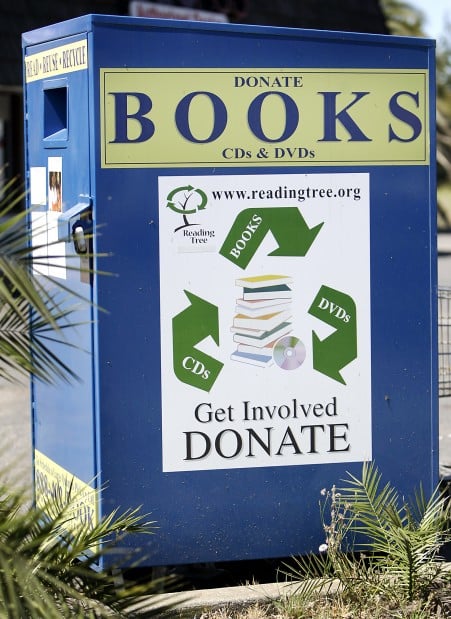
When I first started thinking about how we bring books and libraries to developing countries the first thing I thought of is the big blue book donation bins placed around town.

Image result for book donation bin
Image taken from an article in the Napa Valley Register.

I have, in the past, put books into these bins mostly because I didn't want to figure out what to do with them. After doing some charity work myself I started to realize that people don't want my cast offs, they want meaningful, useful materials. How can we make sure that the help we are sending is actually needed, and more so, wanted?

Thinking about book distribution I immediately wonder how much it would cost to ship books around the world. Is there a better option? In response to this I did a quick search and found a few articles on how digital libraries are being used more and more in developing nations.
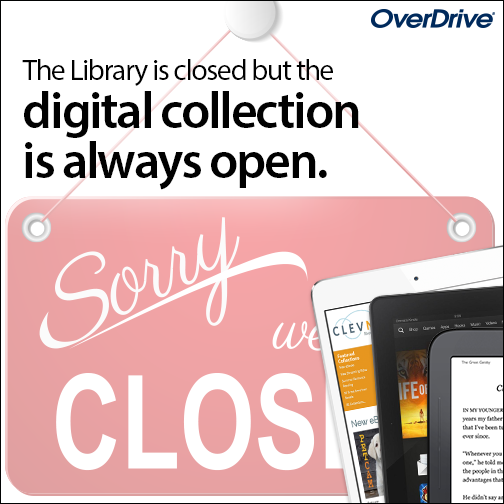
Image result for overdrive library

I found this article interesting when thinking about the role of smart phones in spreading libraries:

Mobile access to digital libraries in developing countries: a reflection on motives, options and sustainability

The author takes a look at how (at the time or publication) around 84% of households with access to a mobile phones. A rate much higher than that of computers. It is suggested that making libraries digital and making sure people have access to them is the way of the future.

I agree that this seems like a convenient way to bring libraries into every household. In order for this to be successful I feel like there would still need to be education in place to make sure people know how to access the libraries. Also, the people need to be literate and have access to books from a young age to build an interest in reading. Just providing the app and access is not enough.

I think the fact is that there is no easy answer to how to build, maintain, and use libraries in developing countries. We can not go in with our North American view of how things work and expect the same model to work everywhere. With that in mind I started reading about two organizations.

1. Global Libraries.

This organization is part of the Bill & Melinda Gates Foundation and has four areas of focus: Research and Innovation, Delivery, Training and Leadership, and Impact, Advocacy, and Policy. What immediately drew me to this organization is that they are teaching people how to use the technology as well as making it accessible. There is a focus on digital libraries but also on internet research skills. People in poor, rural, and developing areas are given access and are taught what to do with it. That is how meaningful change can take place for these people. I like that the focus is not only global but also the poor and rural close to home.

2. Library for All

I first found this organization as a Kickstarter which made me curious. They were able to raise $109,000 in 2013 towards digital libraries in developing countries. Their mission is to build digital libraries and also to educate children.  They have programs in five countries using a cloud-based library platform. The website shows kids and adults learning to read, using tablets to access books. They also work with local partners to make sure the program is appropriate and sustainable. They provide easy to understand graphics like this one to encourage sponsorship (according to the website $10 can provide a child access to the digital library for a full year).

Quality Process.png
The Pillars of Our Library - taken from the Library for All website

Both of these organizations resonate with me because the combine access with teaching. I love that these groups are partnering with communities, not just dumping resources. It is the best way to bring change.

If you want to read further about more charities working to bring books and libraries to the world, check out the following list:

12 Amazing Book And Literacy Charities That Are Changing The World


Works Cited

Sousa, J. (2012). Book Donation Bin. [image] Available at: https://napavalleyregister.com/news/local/rival-boxes-collect-books-for-profit-and-donation/article_f1b5c5a2-f7bf-11e1-9e86-0019bb2963f4.html [Accessed 17 Jun. 2018].

Overdrive. (2018). [image] Available at: https://resources.overdrive.com/library/marketing-outreach/library-digital-resources/ [Accessed 17 Jun. 2018].

Barreto Da Rosa, I. and Lamas, D. (2013). Mobile access to digital libraries in developing countries: a reflection on motives, options, and sustainabiity. [online] ResearchGate. Available at: https://www.researchgate.net/publication/259485595_Mobile_access_to_digital_libraries_in_developing_countries_a_reflection_on_motives_options_and_sustainability [Accessed 17 Jun. 2018].

Bill & Melinda Gates Foundation. (2018). Global Libraries. [online] Available at: https://www.gatesfoundation.org/What-We-Do/Global-Development/Global-Libraries [Accessed 17 Jun. 2018].

Evans, T. (2017). Homepage. [online] Library For All. Available at: http://www.libraryforall.org/ [Accessed 18 Jun. 2018].

Weiss, A. (2015). 12 Amazing Book Charities Around The World. [online] Bustle. Available at: https://www.bustle.com/articles/126582-12-amazing-book-and-literacy-charities-that-are-changing-the-world [Accessed 17 Jun. 2018].


Sunday, 10 June 2018

The School Staff as a Learning Network

As the face of the school library starts to shift and change a lot of Teacher Librarians are also the school technology experts. Of course, just because that is part of the job doesn't make it true for all TLs. So the question for me is how can someone who might be only moderately comfortable with technology teach their peers how to effectively use technology in their classrooms?

After talking to other Teacher Librarians about this I have seen that there is a wide range of skills and beliefs around this subject. There is a range from schools that have another teacher who is in charge of technology to schools where the TL is the leader in showing how technology can be used.

With this in mind I started working on a list of ideas for how I can become better at sharing technology with others. Also keeping in mind that some of them may not be looking for new ideas and others will be way ahead of what I know.

Here we go:

1. Be willing to try new things and make mistakes

If we want our staff to try new things then we need to show them that it is OK to try something out even if you are not sure how it works. In some cases students will have a better understanding of the programs we are using and we can use that to our advantage. Some of the Teacher Librarians I have talked to have used the makerspace to teach technology to students and then had the students demonstrate their learning to other teachers. The teachers then took what they had seen and applied it to the classroom.

2. Don't Be Afraid to Get Help

There are endless numbers of blogs and websites that will help me understand technology better. One that has been recommended to me is Free Technology For Teachers. This blog includes many different programs, tips, and links presented in video format that will help me better understand something and maybe present an idea more clearly than I could.

3. Get One or Two teachers on Board

It is important to have other staff members who can back you up on an idea. If I am able to collaborate with teachers then I will have people who will talk to other teachers and let them know what worked for them. Having a cheer leader for a program is always a good thing.

For a list of ideas on apps for student-collaboration try these websites:

7 Must Have Student-Collaboration Apps, Tools, and Resources

Best Student-Collaboration Tools

6 Ed-Tech Tools to Try in 2018

4. Learn Together

I'll admit that a lot of what I am learning about new technology is just that - new. I don't think I would ever be caught up on the new and exciting things going on so why try to learn it all before passing it on? There are opportunities to offer pro-d sessions or book club type events where teachers come out and try the tech for themselves. This definitely goes hand in hand with number one.

5. Branch Out to Differnt Areas of Tech

It is easy to find a list of apps and programs to use on computers and tablets but that is not the only type of technology that should be used. I have talked to teachers who are using 3D printers, green screens, and robots in their makerspace. One of my kindergarten colleagues has used the Ozobot with her class with a lot of success. I have used dash robots with early primary and they loved them (of course those are still using iPads as well).
Ozobot follows pathways you hand draw, or map out on a tablet.
An Ozobot follow lines drawn on paper


For me I think the main thing to remember will be to just dive in and try. Otherwise I will spend all of my time researching instead of experimenting.


Works Cited

Byrne, R. (2018). [Blog] Free Technology for Teachers. Available at: https://www.freetech4teachers.com/ [Accessed 11 Jun. 2018].

Lynch, M. (2017). 7 Must Have Student-Collaboration Apps, Tools, and Resources - The Tech Edvocate. [online] The Tech Edvocate. Available at: http://www.thetechedvocate.org/7-must-student-collaboration-apps-tools-resources/ [Accessed 11 Jun. 2018].

Common Sense Education. (2017). Best Student-Collaboration Tools. [online] Available at: https://www.commonsense.org/education/top-picks/best-student-collaboration-tools [Accessed 11 Jun. 2018].

Gonzalez, J. (2018). 6 Ed Tech Tools to Try in 2018 | Cult of Pedagogy. [online] Cult of Pedagogy. Available at: https://www.cultofpedagogy.com/6-tech-tools-2018/ [Accessed 11 Jun. 2018].

O'Brien, C. (2015). Ozobot. [image] Available at: https://www.irishtimes.com/polopoly_fs/1.2199548.1430923874!/image/image.jpg_gen/derivatives/box_620_330/image.jpg [Accessed 11 Jun. 2018].


Sunday, 3 June 2018

Learning is Part of Teaching


Part of what I have enjoyed most about teaching a completely different grade this year is that I have had to be open to learning new things. As a teacher it has always been important to me but I admit there have been times where I have coasted a bit in my teaching practices. When you move from upper intermediate to primary that is not an option. It has been a refreshing change for me to have to completely re-evaluate my ways of teaching. For this blog post I want to think about how I can continue to learn, grow, and develop a personal learning network.

There are many ways to approach this. I am going to look at three: Social Media, published books, and blogs.

Social Media

The first thing I did when starting my discovery journey for this course was reach out to my Kindergarten Connections Facebook group. They were able to identify many people, blogs, and organizations that would be helpful for me as I investigate Inquiry Based Learning in early primary. This group consistently posts ideas, questions, and discussions which help me grow as a teacher. By seeing what works or doesn’t work for others I am encouraged to try new things myself. I am also becoming more familiar with Twitter, noticing articles that are being posted by fellow students and colleagues.

Published Books

When looking into the suggestions from my Facebook query I was lead to the book Inquiry Mindset by Trevor Mackenzie and Rebecca Bathurst-Hunt. Rebecca is one of the first people suggested to me as someone to watch on Twitter for Kindergarten so I was very curious to read a book which focused on primary students. I struggled with whether or not to include a traditional book resource but I think it is going to make a huge impact on my teaching (once I finish reading it). Along with the book I have access to webinars and printable copies of the Sketchnotes* included in the book. I now have a copy sitting here beside me and am looking forward to giving it some attention.


Blogs

I love looking through blogs. For me it is always easier to try something once I have seen it in action. It’s like taking a virtual visit to another classroom. There are endless numbers of blogs that I could follow and I think it will be important for me to narrow it down to the top 5 for now and then add more as I become more familiar with each blog.  Here are three that I was immediately drawn to:

1. The Curious Kindergarten by Alexis McDonell
2. Fairy Dust Teaching founded by Sally Haughey
3. Inquiry Teacher Blog by Rebecca Bathurst-Hunt

Each of these blogs give concrete examples of how inquiry can be incorporated into kindergarten classes. They are also full of photos and links to other resources.


*Sketchnoting is a way of taking notes using pictures and doodling. For more information try this video.

Works Cited
MacKenzie, T. and Bathurst-Hunt, R. (2018). Inquiry mindset. Irvine: EdTechTeam Press.

Baughcum, C. (2017). My Pencil Made Me Do It. [video] Available at: https://www.youtube.com/watch?v=zNJyuJl5LKk [Accessed 3 Jun. 2018].

McDonell, A. (n.d.). The Curious Kindergarten. [online] The Curious Kindergarten. Available at: https://thecuriouskindergarten.blog [Accessed 3 Jun. 2018].

Haughey, S. (n.d.). Home - Fairy Dust Teaching. [online] Fairy Dust Teaching. Available at: https://fairydustteaching.com [Accessed 3 Jun. 2018].

Bathurst-Hunt, R. (n.d.). Inquiry Teacher Blog. [online] Rbathursthuntblog.wordpress.com. Available at: https://rbathursthuntblog.wordpress.com/ [Accessed 3 Jun. 2018].